


Motionleap by Lightricks
4.010.07K Reviews
App Specs
- Version
- 1.8.1
- Updated On
- License
- Free
- Downloads
- 50,000,000+
- Developer
- Lightricks Ltd.
- Categories
- Photography
- Platform
- Android, iOS
Screenshots
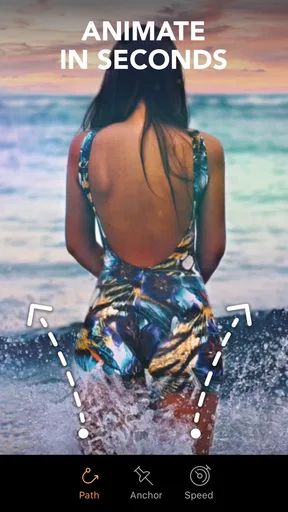
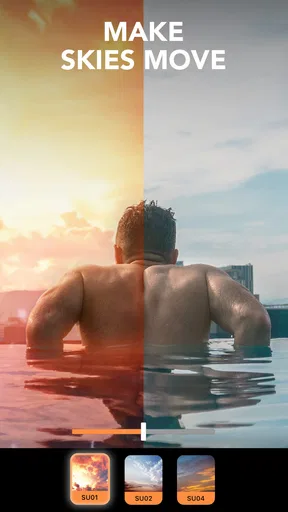
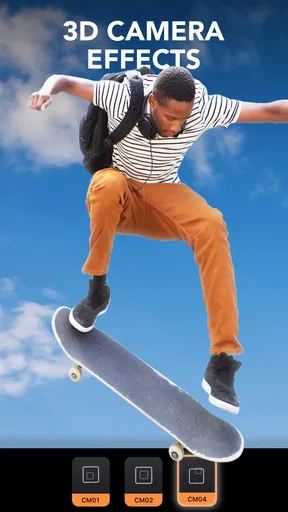
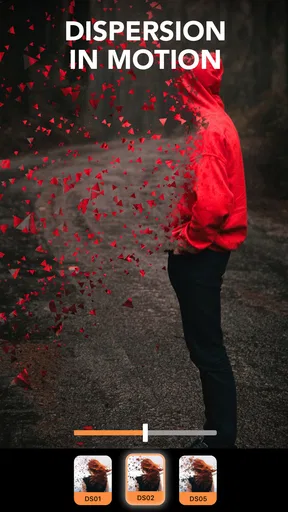
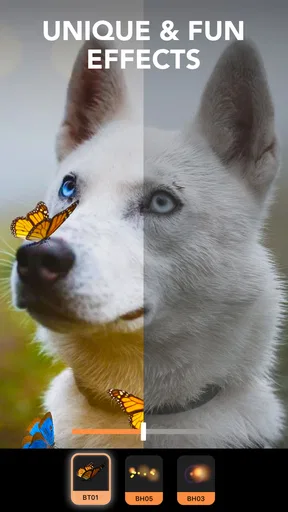
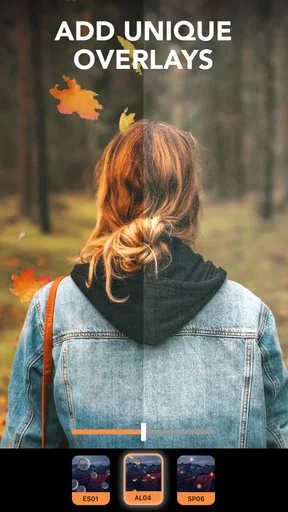
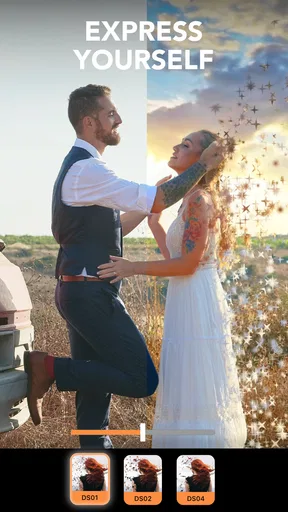
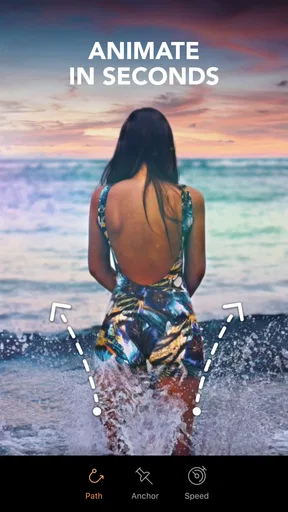
 Analysis by AppCompare
I tend to reach for a photo editor when a picture is already good but still feels a little too still. Motionleap by Lightricks takes a different route from a standard filter app: it lets me give selected parts of a photo a sense of movement, turning a familiar scene into something that catches the eye. It is a photography app from Lightricks Ltd., and its appeal is less about correcting every detail than about making one visual idea feel alive.
What I expect from its speed
Motionleap is designed around a quick creative loop: choose a picture, mark what should move, and adjust the effect until it looks intentional. That makes it approachable for a short editing session, though I would not expect every project to feel equally instant. A simple moving sky is a lighter task than combining several animated areas, overlays, and depth effects. The more choices I add, the more time I need to refine the result, even when the controls themselves remain easy to understand.
That distinction matters if I am editing between errands or trying to post something promptly. I can get a basic idea moving without first learning a complicated desktop workflow, but a polished animation still benefits from patience. The app is best treated as a creative editor rather than a one-tap shortcut: the first preview may be quick, while making the motion look natural can take a few passes.
Turning a still photo into a moving scene
Motionleap is one of those apps that makes you feel like a digital wizard. It’s all about transforming your ordinary photos into lively animations. You know, the kind that makes people pause their endless scrolling and go, "Wow, how did they do that?"
Diving Into Features
The app is incredibly intuitive. You don't need to be a tech genius to navigate through its features. Once you upload a photo, the magic begins. You can animate different elements, like skies and water, with just a few taps. It’s as if you’re breathing life into still images.
One feature I absolutely adore is the sky animation tool. You can change a dull, overcast sky into a vibrant sunset or a dreamy starry night. It’s like having a mini weather station at your fingertips. Plus, the overlays let you add effects like rain or snow, which is perfect for adding that extra flair.
Making the motion look convincing
The practical trick is to decide what should stay still before deciding what should move. A person, building, or horizon can act as a visual anchor while the sky or water shifts around it. If motion crosses the outline of a solid object, the illusion can look messy, so I would zoom in and check edges rather than judging only the overall preview. A restrained movement often feels more believable than making every part of the frame active.
Worth Reading Before You Choose

EA SPORTS FC Mobile 26 Is a Bigger Football Game, but It Takes Time

Flipboard Shows What News Apps Must Do Beyond the Feed

Switching to Android Auto Means Rethinking Your Driving Routine

Google Calendar Makes a Crowded Week Easier to Manage

Ludo King Makes the Most of the Minutes Between Plans

Baby Panda World Brings Quick Play to Modern Phones, but Its Game Library Feels Busy
For a landscape, I would start with one animated region, preview it, and then add an overlay only if the image needs atmosphere. Rain, snow, or other effects can quickly become the main subject, which may distract from the original photograph. This is one of the app’s useful trade-offs: it offers room to embellish, but a lighter touch usually keeps the finished image from looking crowded.
Getting Creative with Tools
Motionleap doesn’t stop at just animating parts of your photos. It also offers other tools like overlays, elements, and 3D motion. The overlays are fabulous for adding atmospheric effects, while the elements allow you to sprinkle in some confetti or flames, depending on your mood.
The 3D motion tool is something I found particularly fascinating. It gives your image a subtle depth, making it seem like it’s popping out of the screen. It’s perfect for those who want to add a bit more dimension to their images.
When several effects meet
More tools do not automatically make a stronger edit. I would use 3D motion when depth is the point of the image, and keep it out of a scene where the subject already has a strong perspective. Likewise, an overlay can help connect a moving sky to the mood of a photo, but stacking effects simply because they are available can make the result feel artificial. A useful workflow is to make one change at a time and compare the preview with the untouched picture before committing to another.
That approach also makes it easier to spot a weak source image. If the original has a busy background, unclear subject edges, or several competing focal points, animation may amplify the clutter rather than fix it. I get the most convincing results from photos with a clear subject and an area—such as open sky or water—that can plausibly move independently.
Ease of Use
Now, I know some of you might be thinking, "This sounds complicated." But honestly, the user interface is super friendly. Everything is laid out logically, which means you won’t get lost in a sea of options. I found myself creating my first animation within minutes.
The app also has tutorials that guide you through the process. So even if you’re a complete newbie to photo editing, you’ll feel like a pro in no time.
A realistic everyday edit
Imagine taking a photo of a friend beside a lake on a cloudy afternoon. I might keep the person and shoreline still, animate a small stretch of water, and try a sky treatment that suits the scene. Then I would preview the whole composition at normal viewing size, because an effect that looks attractive close up can feel too strong when the image is seen on a phone screen. If the picture starts to look like a fantasy postcard when I wanted a natural memory, I would reduce the number of added elements rather than keep piling on adjustments.
This kind of edit is a good fit for a story post, a playful greeting, or a personal project where a short moving image says more than a static photo. It is less suitable when I need a faithful documentary image, a clean product shot, or a quick batch of consistent corrections. In those cases, a conventional photo editor that focuses on cropping, exposure, and color is the more direct tool.
How it differs from a regular photo editor
Compared with the usual photography apps, Motionleap is more specialized. A standard editor is often the better choice for fixing brightness, color, blemishes, or framing across several pictures. Motionleap’s distinctive value is the animated treatment of a single image: it lets me create movement and atmosphere instead of simply refining the still photograph. I would keep both kinds of tools in mind rather than expecting one app to replace the other.
It also asks for a different kind of judgement. In a filter app, I can often decide whether I like a look at a glance. Here, I need to think about direction, boundaries, and whether the motion makes sense in the scene. That learning curve is not a barrier for basic experiments, but it does explain why a convincing result can take more care than tapping a preset.
Who’s It For?
If you love social media and want to stand out with eye-catching posts, Motionleap by Lightricks is definitely worth checking out. It’s ideal for Instagram influencers, photographers, or anyone who simply enjoys tinkering with photos.
But it’s not just for the social media savvy. Artists and creatives can also leverage the app to add a new dimension to their digital creations. It’s a fantastic way to experiment and push the boundaries of traditional photography.
Cost, compatibility, and everyday limits
The app is free to download, with in-app purchases ranging from $0.99 to $199.99 per item, so I would check what is included in the version I plan to use before building a routine around a paid tool. Its Everyone content rating makes it broadly suitable from an age-rating perspective. The current version is 1.8.1, and it requires at least iOS 7.1. Those details help set expectations, but they do not guarantee that every device will handle every edit in the same way.
On a device that feels strained by image editing, I would keep projects simple and avoid treating a large stack of effects as a casual, instant task. A photo with several moving zones and layered effects is naturally more demanding than a small experiment. If the app pauses or an edit does not look right, I would first simplify the composition and inspect the effect in smaller steps instead of assuming that adding more adjustments will improve it. Saving a clean original separately is also a sensible habit whenever I am experimenting with a photo I care about.
Popularity and reliability in context
Motionleap has an average rating of 4.0 from around 342,000 ratings, with about 10,000 written reviews and over 50 million installs. That scale suggests many people have tried it, but popularity alone does not tell me whether a particular workflow will suit my phone or style. I would judge reliability by how comfortably it handles the kind of images I actually edit, especially if I plan to work with detailed scenes or several effects at once.
For recovery, I would avoid relying on an unfinished edit as the only copy of an important image. Keeping the original photo available means I can start over if an experiment goes in the wrong direction. That is useful advice for any creative editing session, and especially here, where a small change to a motion boundary can alter the whole illusion.
Final Thoughts
In a world saturated with photos, Motionleap gives you the tools to create something truly unique. It’s not just an app; it’s a playground for your imagination. Whether you’re looking to enhance your personal photos or create stunning content for social media, this app has you covered.
So, if you’re ready to take your photos to the next level, give Motionleap a try. You might just find yourself hooked on the endless creative possibilities!
My recommendation is strongest for someone who enjoys experimenting and is willing to refine a visual idea rather than simply apply a filter. I would skip it if my main goal were fast, repeatable corrections to a large set of photos, or if I wanted every edit to remain strictly realistic. For its particular job—adding movement and depth to selected still images—it offers a playful route that feels distinct from ordinary photo touch-ups, provided I keep the effects controlled and choose pictures that give them room to work.
Pros
- Intuitive interface for easy navigation.
- Wide range of animation tools available.
- High-quality export options.
- Regular updates with new features.
- Supports both photo and video formats.
Cons
- Some features require a subscription.
- Can be resource-intensive on older devices.
- Limited free version capabilities.
- Occasional crashes during editing.
- Ads can be intrusive at times.
FAQs for Motionleap by Lightricks
What is Motionleap by Lightricks?
Motionleap by Lightricks is a dynamic photo editing app that allows users to animate their images with ease. It offers a variety of tools to add movement to static photos, such as sky and water animations, and even 3D motion effects. Ideal for social media enthusiasts, it enhances creativity and engagement.
Is Motionleap free to use?
Motionleap offers a free version with basic features, allowing users to explore its animation capabilities. However, for more advanced features and professional tools, there is a subscription-based Pro version. This premium tier unlocks additional effects and customization options, making it suitable for more serious content creators.
How user-friendly is Motionleap?
Motionleap is designed with an intuitive, user-friendly interface that caters to both beginners and experienced editors. The app provides step-by-step tutorials and easy-to-use tools, ensuring that users can quickly learn to animate their photos. Its simplicity and accessibility make it a popular choice for users of all skill levels.
What devices are compatible with Motionleap?
Motionleap is available for both Android and iOS devices. It requires Android 6.0 or later and iOS 12.0 or later. The app is optimized for seamless performance on smartphones and tablets, enabling users to create stunning animations on-the-go without any technical issues.
What are the main features of Motionleap?
Motionleap offers a range of features, including motion effects, sky animations, overlays, and 3D effects. Users can transform static images into dynamic pieces of art by applying these tools. The app also provides an array of filters and editing capabilities to further enhance images, offering endless creative possibilities.


